Animation components for React Native

React Native. With a little more feeling.

Animations, interactions and tools for apps people want to touch. Explore the details that make a screen come alive.

Explore components
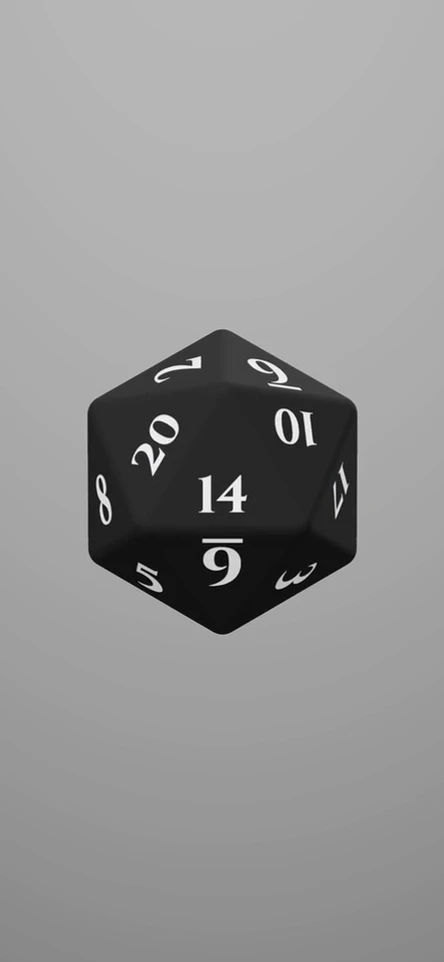
A glossy gold twenty-sided die tumbles, settles, and rolls again against a pale cream background.
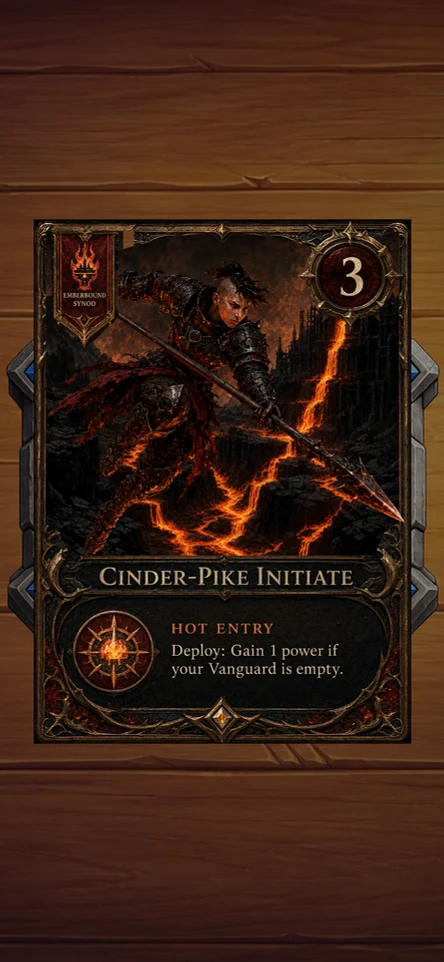
Three sword strikes tear open a glowing card cover and reveal a layered Cinder Pike hero card.
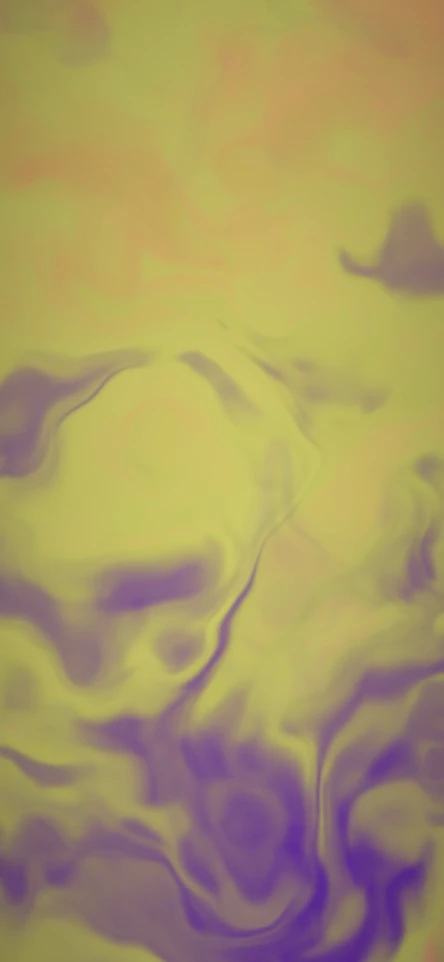
Flowing plasma shifts through plum and gold, teal and lavender, and forest and periwinkle.

Under the hood

  • Skia
  • Reanimated
  • Gesture Handler
  • Haptics

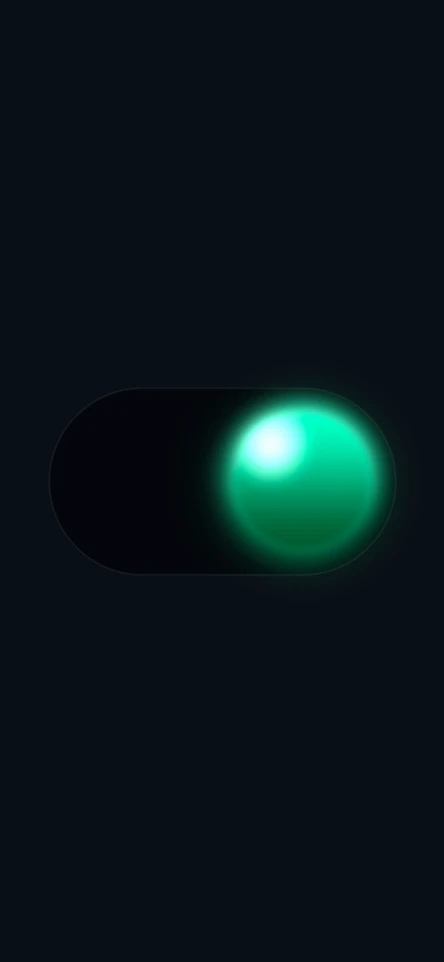
A switch whose thumb melts as it travels and sets back into a solid bead at either end. The whole look is one SKSL shader clipped to the track, fed every frame by a single sprung progress value between 0 and 1.

Blobs that merge

fieldAt adds up r² / d² for every blob, and smoothstep turns the total into alpha around a threshold of 0.9. Where two blobs sit close together, their fields add up past the threshold in the gap between them, so they join through a neck instead of overlapping as two circles.

float fieldAt(float2 p) {  float f = 0.0;  for (int i = 0; i < ${MAX_BLOBS}; i++) {    if (float(i) >= u_count) { break; }    float4 b = u_blobs[i];    float2 d = p - b.xy;    float dist2 = max(dot(d, d), 1.0);    f += (b.z * b.z) / dist2;  }  return f;}

Liquid only in flight

thumbBlobs scales everything by 4 * p * (1 - p), which is 0 at both ends of the track and 1 halfway. Mid-slide, a trailing blob stretches up to 2.4 thumb radii behind the head while a leading one runs ahead, and both shrink as they pull away. The same curve splits red and blue edges by up to 7 px. The math is written out inline, because a worklet calling another module worklet crashes on the UI runtime.

// travelEnvelope(p), inlinedconst env = 4 * p * (1 - p);// …const reach = thumbR * (0.7 + 1.7 * g) * env;const satR = thumbR * (0.92 - 0.45 * g * env);// …const trailRaw = headX - dir * reach;const leadRaw = headX + dir * reach * 0.55;

Taps, drags and one spring

The pan only activates after 10 px of sideways travel, so a quick tap still reaches the tap gesture. Tap, drag release, the value control and replay all finish on the same spring, damped close to critical so a bounce doesn't bring the mid-slide stretch back. The haptic fires only when the side actually changes, and a cancelled drag still settles on the nearer side.

const SNAP_SPRING = { damping: 17, stiffness: 90, mass: 1 } as const;// …const pan = Gesture.Pan()  .activeOffsetX([-10, 10])  // …  .onEnd(() => {    const target = progress.get() >= 0.5 ? 1 : 0;    const changed = target !== state.get();    state.set(target);    progress.set(withSpring(target, SNAP_SPRING));    if (changed) scheduleOnRN(tapHaptic);  })

Tuning

  • On Color#37D67A
  • Off Color#444A57
  • Goo Stretch0–1, default 0.7
  • StateOff
<LiquidMetalToggle params={{ onColor: "#37D67A", offColor: "#444A57", goo: 0.7, value: false }} fireSignal={0} />
  • Skia
  • Reanimated
  • Motion sensors

Three sword strikes tear open a sealed card, light spills through the cuts, and the card underneath lifts out of its stone well. The scene is a single opaque Skia canvas, and most of its timings exist so that one moment hides the seam of the next.

Timing a strike

Each tap sends the blade along a traced tear, fastest at the moment of impact. Light fills the cut at full strength 37 ms after contact, while the blade still covers it, so the fade-up is never visible. The card squashes 12% and springs back as the bounce dies away, which gives the hit its weight. Early taps wait in a queue of three, and a strike starts only after the previous blade has finished.

const SLASH_SPEED = 0.75;export const slashMs = (ms: number) => Math.round(ms / SLASH_SPEED);// …export const PLASMA_DELAY_MS = slashMs(28);// …export const SQUASH_AMOUNT = 0.12;export const SQUASH_PERIOD = slashMs(190); // ms per oscillationexport const SQUASH_DECAY = slashMs(105); // ms - amplitude falls to 1/e

Holes without path booleans

Each cut is an inverse clip placed inside the previous one, so three holes open in the cover without any path boolean operations. The cut outlines are pushed past the edge of the card, so a tear that runs off the material still cuts cleanly, and clamped copies of the same outlines shape the glow around each tear.

<Group clip={holes[2]} invertClip>  <Group clip={holes[1]} invertClip>    <Group clip={holes[0]} invertClip>      <CoverCard texture={texture} />    </Group>  </Group></Group>

Compiling before the first cut

Skia builds a GPU program the first time something is drawn, not when it is declared. A hidden warm-up draws the real cut paths under the real stage transform, beneath an opaque fill, before any strike can run, and is then unmounted, because an empty clip still records every frame. The reveal burst avoids image filters altogether: its softness comes from a gradient in screen blend, which took it from 54 to 60 fps.

if (spent || !warm) return null;// …<Path key={`core-${index}`} path={corePath} color="#ffffff">  <Shadow dx={0} dy={0} blur={PREWARM_SIGMAS.coreInner[0]} color="#5a1226b0" inner />  <Shadow dx={1.5} dy={2.5} blur={PREWARM_SIGMAS.coreInner[1]} color="#7a1c3899" inner /></Path>// …<Group blendMode="screen">

The reveal and the card

After the third cut a 700 ms flash plays, and the halo is already gone by 40% of that window so the celebration never sits over the card as it rises. Both ends are one expression: a fast smoothstep in, a slower one subtracted out. Beyond it the card answers to drag, hover and device tilt, and reduced motion shrinks the travel to 35% rather than freezing it.

const p = (clock.value - revealAt.value) / REVEAL_FLASH_MS;if (p < 0 || p > 1) return 0;// In fast, out well before the lift starts, so it never competes with the card rising.return smoothstep(0, 0.05, p) * (1 - smoothstep(0.12, 0.4, p));
  • Skia
  • Reanimated
  • Gesture Handler
  • Haptics

A ring of five rounded slices that sweep in one after another, pop outward when tapped and roll the number in the middle to the chosen value. Every slice is its own Path, restroked from a derived value each frame, so the animation never waits on a React render.

Gaps in pixels

The gap control is in pixels, so the chart converts it to an angle at the live radius, gap / radius, and a resize keeps the spacing the same. layoutSegments starts each slice half a gap in and paints its share minus one gap, which keeps every slice centered in its slot. The gap is capped so that all of them together take at most 90% of the ring.

const maxGap = (TWO_PI * 0.9) / n;const gap = gapRad < 0 ? 0 : gapRad > maxGap ? maxGap : gapRad;// …const painted = Math.max(0, share - gap);const start = cursor + gap / 2;

One clock for five slices

Replay fires its haptic on the JavaScript thread, then hops to the UI thread only to stamp a start time; firing the haptic from inside that hop intermittently aborted the worklets runtime. Every slice reads the same clock, waits 0.13 s per index and sweeps for 0.55 s with an ease-out. Before the first replay the reveal is pinned at 1, so the chart loads fully drawn instead of as an empty ring.

const DRAW_SECS = 0.55;const STAGGER_SECS = 0.13;// …const reveal =  fireSignal === 0    ? 1    : easings.easeOut(        segmentReveal(index, seconds.get(), DRAW_SECS, STAGGER_SECS),      );

Pop, glow and the counter

A tap is tested against the slices exactly as drawn: it is moved back into each slice's own space and checked against the band and, with rounded caps, the two end disks. The chosen slice slides out 7% of the radius, moves to the last draw slot so it sits above the ring, and gains a glow blurred by 6 * pop. The center number rolls to its value over 420 ms on a cubic curve, because a spring overshoots and counts back.

if (hasSelection) order.push(selected);// …const scale = 1 + 0.02 * pop;const offset = geometry.radius * geometry.popDistanceFraction * pop;// …strokeWidth: (geometry.stroke * (1 + 0.12 * pop)) / scale,opacity: dim,glow: (6 * pop) / scale,

Tuning

  • Segment Gap0–12, default 4
  • Inner Radius0.3–0.85, default 0.6
  • Rounded CapsOn
<AnimatedDonutChart params={{ gap: 4, innerRadius: 0.6, rounded: true }} fireSignal={0} />
  • Skia
  • Reanimated
  • Haptics

Colored paper shards thrown up from just below the middle of the canvas, spinning while gravity pulls them back down. Up to 300 of them share one sprite sheet and reach the screen through a single <Atlas> draw.

Position from time alone

Nothing is stepped frame by frame. createConfettiParticles gives each shard a launch angle inside the spread cone, a speed between 50% and 130% of power and a spin rate. transformAt then works out position, rotation and fade from elapsed seconds, so a late frame can't knock a shard off its arc, and gravity, read every frame, can still bend a burst that is already in the air.

const angle = -Math.PI / 2 + (rand() - 0.5) * spread;const speed = power * (0.5 + rand() * 0.8);// …return {  x: p.vx * t,  y: p.vy * t + 0.5 * gravity * t * t,  rot: p.rot0 + p.rotV * t,  alpha: Math.max(0, 1 - t / 3),};

Spinning about the center

Each shard is an RSXform: scale times cosine, scale times sine, and a translation. Skia rotates a sprite about its top-left corner, so the worklet subtracts the rotated half-size and the shard spins about its middle. This draw passes no per-sprite colors, so the fade is folded into the scale, and a shard shrinks away over three seconds instead of turning transparent.

const tr = transformAt(particles[i], t, gravity);const s = particles[i].scale * tr.alpha;const cos = Math.cos(tr.rot) * s;const sin = Math.sin(tr.rot) * s;const half = SPRITE / 2;val.set(  cos,  sin,  originX + tr.x - (cos * half - sin * half),  originY + tr.y - (sin * half + cos * half),);

Replays and the clock

The seed is the fire count run through a multiplicative hash into mulberry32, so the same count always replays the same burst, and a new fire replaces shards still in flight. The frame clock runs for five seconds per burst and then lands, leaving a static picture. An always-running clock was measured at about 20% CPU while idle.

(fireSignal * 2654435761) % 1_000_000_007 || 1,// …scheduleOnUI(() => {  "worklet";  start.set(clock.get());});requestFrames(BURST_MS);

Tuning

  • Count30–300, default 150
  • Power400–1600, default 900
  • Spread0.5–3.1, default 2.2
  • Gravity600–2600, default 1500
<ConfettiBurst params={{ count: 150, power: 900, spread: 2.2, gravity: 1500 }} fireSignal={0} />
  • TypeGPU
  • WebGPU

A crown of chrome spikes that breathes in a slow wave, drawn with TypeGPU on WebGPU rather than Skia. Painting the spikes is the expensive part, so it happens once; after that, each frame uploads 16 bytes.

A loop with no crossfade

Spike length is a three-lobe wave plus a six-lobe wave that runs at half the phase, so both repeat after a third of a turn. One 6.8 s loop moves the pattern by exactly one lobe and lands back on its first frame. Brightness shimmers at the same rate, offset by a random seed per spike, so it reads as a twinkle rather than a band sweeping around.

export function phaseAt(elapsedMs: number): number {  const wrapped = ((elapsedMs % PERIOD_MS) + PERIOD_MS) % PERIOD_MS;  return (wrapped / PERIOD_MS) * (TAU / 3);}// …const a = 3 * (s.theta - 102.1 * DEG);const b = 6 * (s.theta - 14.8 * DEG);const amplitude = Math.hypot(  66 * Math.cos(a) + 8 * Math.cos(b),  66 * Math.sin(a) + 8 * Math.sin(b),);

Fifteen layers, one shader

Each spike is about fifteen filled and stroked shapes with gradients and blend modes. Their curves are flattened into line segments on the CPU, with chord error under a quarter of a texel, and one fragment shader evaluates every shape by signed distance, so a whole tile is painted in a single pass. Mirrored spikes reflect the sample point about the spine instead of storing a flipped copy of each outline.

export interface SpikePath {  readonly start: readonly [number, number];  readonly cubics: readonly Cubic[];  /** Closed paths are FILLED (coverage by winding); open ones are STROKED (coverage by distance). */  readonly closed: boolean;}// …export const BODY: SpikePath = {  start: [0, 0],  cubics: [    c(-0.095, 0.02, -0.255, 0.09, -0.345, 0.205),

What a frame touches

Angle, radius, width, tile and seed sit in a 32-byte record per spike that is uploaded once, and the vertex shader derives each length and brightness from the phase. The texture keeps a full 13-level mip chain, because spikes are drawn rotated and minified and nearest sampling makes their edges crawl. Drawing stops when the screen loses focus: a deep link keeps the old route mounted, and drawing into its torn-down surface crashed.

export const SPIKE_PARAM_FLOATS = 16;export function packSpikeParams(): Float32Array<ArrayBuffer> {  const data = new Float32Array(    new ArrayBuffer(SPIKE_COUNT * SPIKE_PARAM_FLOATS * Float32Array.BYTES_PER_ELEMENT),  );  for (let i = 0; i < SPIKE_COUNT; i += 1) {    const p = spikeParams(i);    const o = i * SPIKE_PARAM_FLOATS;

Tuning

  • Speed0.25–2, default 1
  • AnimateOn
  • Phase0–1, default 0
  • Skia
  • Reanimated
  • Gesture Handler

A photo goes in and its background drops out, with a divider to drag across and compare against the original. The photo is studied once to choose the settings; after that a shader decides for every pixel how much to keep, and export draws the same tree again at full size.

Reading the photo once

analyze shrinks the photo onto a CPU raster surface over opaque white, so reading the pixels back is a memory copy, not a GPU flush that would stall JavaScript. Histograms of that thumbnail pick the cut. Two clear humps are split at the valley between them; a lopsided spread, the usual shape of thin line art on white, gets a triangle fit instead.

export function makeThumbPixels(srcImage: SkImage, N = 256): ThumbPixels {  // …  const surface = Skia.Surface.Make(tw, th); // CPU surface — SkSurface | null  // …  const canvas = surface.getCanvas();  canvas.clear(Skia.Color('white'));

Whiteness is the smallest channel

On a white backdrop the shader keys on min(R, G, B) rather than brightness, so a bright yellow, whose blue channel is low, is kept. Saturation pulls keyness down further, and strongly colored pixels are always kept. smoothstep around the threshold gives the soft edge, and the result is returned premultiplied, because straight color would brighten the feathered edge over the checkerboard.

half mn = min(min(P.r, P.g), P.b);half mx = max(max(P.r, P.g), P.b);half sat = (mx > 1e-4) ? (mx - mn) / mx : 0.0;// white keys on the smallest channel, black on 1 - largesthalf keyn = (mode < 0.5) ? mn : (1.0 - mx);// …keep = 1.0 - smoothstep(threshold - feather, threshold + feather, keyn);

Cleaning up the edge

An edge pixel is part subject, part backdrop. Against white, defringe solves for the subject color with (P + keep - 1) / keep, skipping pixels that are nearly gone, where the division would amplify noise. Edge shrink then runs as image filters on the keyed layer: erode, then dilate back one pixel less. Skia runs a filter's input first, so the erode has to be the innermost one.

if (erode > 0) f = Skia.ImageFilter.MakeErode(erode, erode, f ?? undefined); // runs firstif (dilate > 0) f = Skia.ImageFilter.MakeDilate(dilate, dilate, f ?? undefined);if (speck > 0) {  f = Skia.ImageFilter.MakeErode(speck, speck, f ?? undefined);  f = Skia.ImageFilter.MakeDilate(speck, speck, f ?? undefined);}

Tuning

  • Threshold0–1, default 0.92
  • Feather0–0.15, default 0.04
  • Defringe0–1, default 0
  • Edge Shrink0–3, default 0
  • Despeckle0–2, default 0
  • Darken Lines0–0.5, default 0
Liquid Metal ToggleOpen
A silver liquid switch stretches across its track, turns green, and moves back.
Free

Games

Not available yet.

  • Sudoku

    Number puzzle2D Skia

    600 puzzles graded by human technique across 6 tiers, plus 200 killer puzzles

  • Mahjong 3D

    Tile matching3D WebGPU

    The full 144-tile turtle layout

  • Arrow Untangle

    Logic puzzle2D Skia

    30 levels built in reverse placement order, so every board can be cleared

  • Water Sort

    Sorting puzzle2D Skia

    30 levels scrambled back from a solved board, so each one is solvable by construction

  • 2048

    Sliding tiles2D Skia

    4×4 and 5×5 boards, each keeping its own game to resume

  • Moksha Patam

    Snakes and ladders3D WebGPU

    Classic and Gyan Chaupar modes, with capture, a serpent-bite shield and two-dice Swift Ascent

  • Molehill March

    Race board game3D WebGPU

    A 6 earns another roll, and turn controls wait until each roll settles on the 3D board

  • Hijack

    Arcade2D Skia

    Seize and steer with one whole-screen drag; each wave runs 6% faster, up to 2.2×